
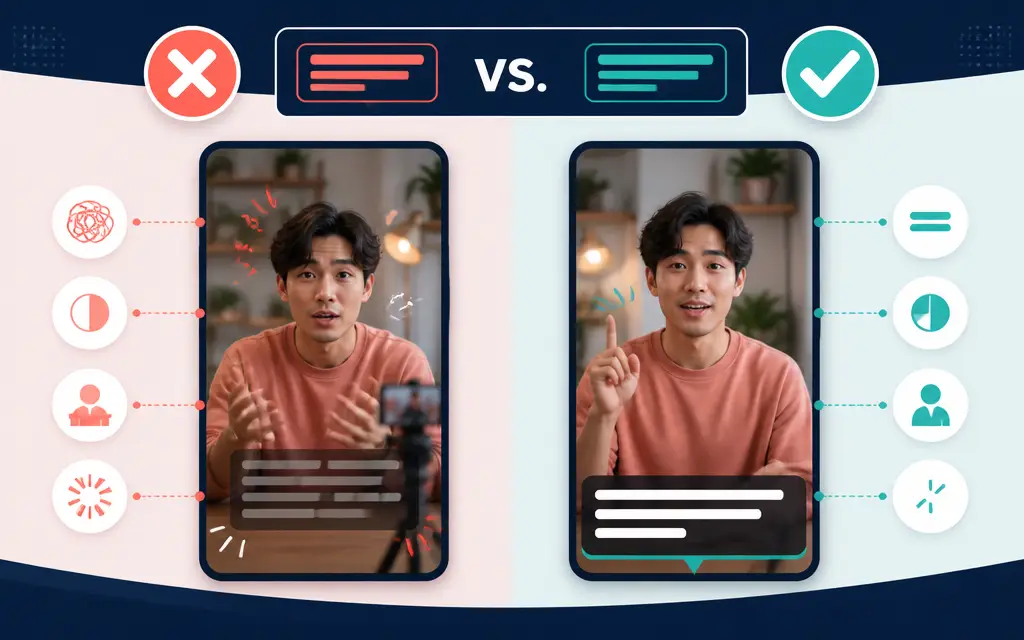
To choose readable subtitle effects, first check whether the text separates from the background, avoids important subjects, and stays visible long enough to read. Only then add limited color or motion to the words and lines that truly need emphasis.
AUTOVID provides a workflow for captions aligned with voice timing and lets you save subtitle styling in a reusable template. Even with an automated starting point, play the captions against the actual scenes before applying the same style across future videos.
Check separation from the background before effects
Readability comes before effects. If subtitle text has nearly the same brightness as the video background, zooming or bouncing it will not make the sentence clear. Pause on both bright and dark scenes and check whether the text can be identified immediately.
For footage with frequent background changes, choose one device that preserves contrast, such as an outline, shadow, or simple translucent panel. Combining several strong treatments can make the decoration more noticeable than the words and slow the viewer down.
Test subtitle placement and display time in real scenes
A subtitle needs enough time to be read, not merely enough time to appear. Play the finished sequence at normal speed and check that a line does not disappear before the spoken phrase ends or collide with the next sentence.
When captions sit near the bottom, they should not cover a face, product, gesture, or other subject carrying the scene's meaning. For vertical Shorts, leave space for platform controls and surrounding interface elements instead of placing essential text against the screen edge.
Give emphasis effects one job per scene
Emphasis is useful when it helps viewers find important information quickly. If every word continually changes size and color, attention scatters, so identify the key term, figure, or call to action before choosing an effect.
Keep a stable base style and reserve stronger changes for selected moments. If the sentence remains clear with the effect removed, the effect is supporting the message; if the meaning becomes unclear, revise the sentence or scene structure first.
Review the full video before saving a template
An AUTOVID template can retain subtitle styling along with frame spacing and colors, fixed text and image stickers, title fonts, and per-line colors. Saving a proven combination makes it easier to preserve a consistent channel style across videos.
Before saving it, test bright, dark, people-focused, and information-heavy scenes on both a full display and a small screen. When finer changes are needed, an automatically created AUTOVID project can be brought into the timeline editor to adjust the effects and timing of individual elements.
Frequently asked questions
Should every subtitle word have an effect?
Usually not. Apply effects to the terms or calls to action that need attention so viewers can still read the complete sentence without distraction.
Can I choose a subtitle style from one scene?
No. Test it against scenes with different brightness and composition, then play the result at normal speed to check its display time.
Can I reuse a readable subtitle style in another video?
You can save subtitle and related visual settings in an AUTOVID template. Review them again because the background and subjects will change in the next video.